NotebookLM: The Ultimate Free AI Tool to Replace 10 Paid Subscriptions in 2025
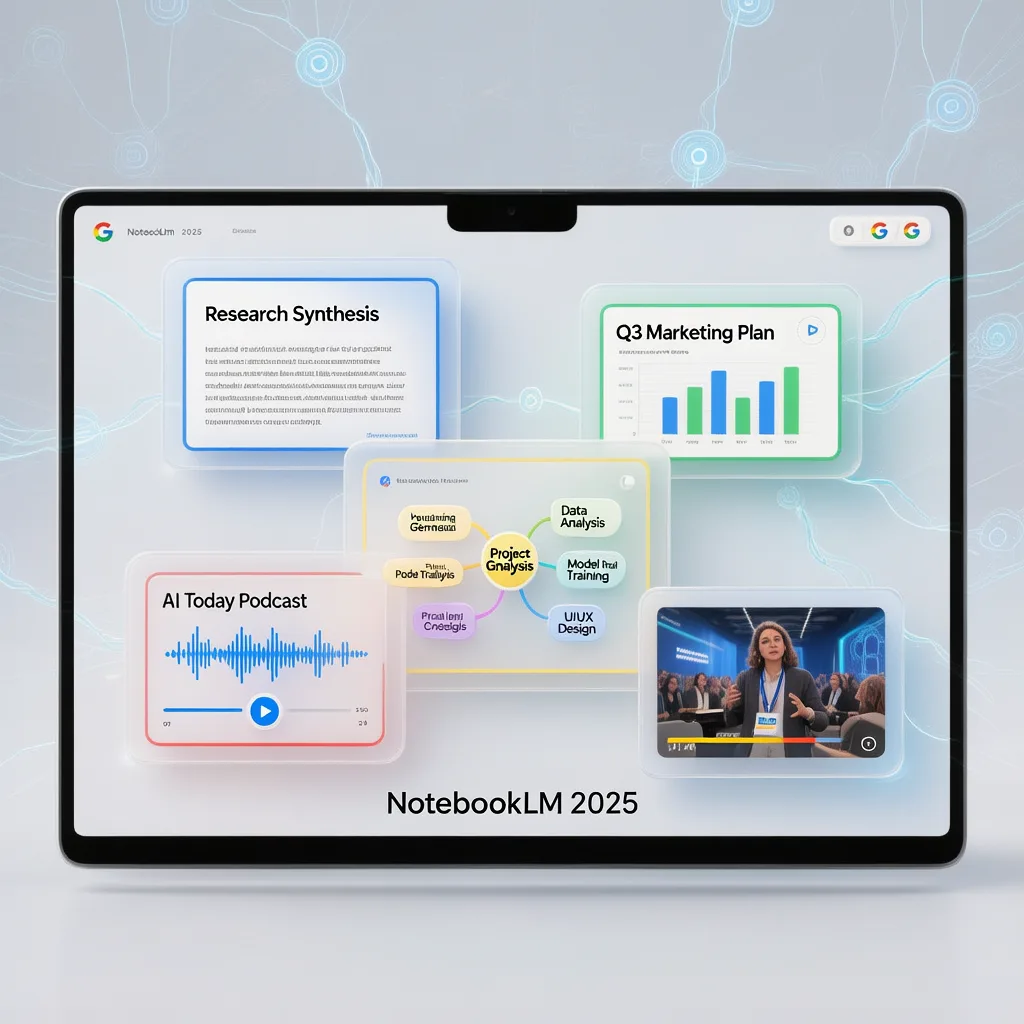
Introduction
NotebookLM is quickly becoming the most powerful free AI tool available in 2025, and if you’re still juggling multiple paid subscriptions for podcasts, research, presentations, and study tools, it’s time to reconsider your entire workflow.
This comprehensive guide is designed for students preparing for exams, researchers diving into complex topics, content creators repurposing their work, professionals building presentations, and anyone who wants to work smarter without spending more. Whether you’re a complete beginner or someone already familiar with AI tools, you’ll find practical, actionable strategies here.
Why does this matter now? Google has rolled out massive updates to NotebookLM, transforming it from a simple note-taking assistant into a complete end-to-end AI workspace. We’re talking AI podcasts in 80+ languages, automated research with 40+ verified sources, professional presentations, video generation, and study systems—all completely free.
By the end of this article, you’ll understand exactly how to use NotebookLM for six powerful use cases, plus bonus workflows that can save you hours every single day.
What Is NotebookLM and Why Should You Care?
NotebookLM is Google’s AI-powered research and productivity tool that fundamentally differs from other AI assistants like ChatGPT or Perplexity. While those tools pull information from across the internet, NotebookLM works exclusively with your sources—your documents, your videos, your research materials.
The Core Interface Explained
When you first open NotebookLM, you’ll encounter a clean, three-section layout:
- Sources Panel (Left): This is where you upload your materials—PDFs, YouTube links, websites, Google Docs, and more
- Chat Panel (Center): Ask questions and receive cited answers drawn only from your uploaded sources
- Studio Panel (Right): The creative hub where you generate podcasts, presentations, infographics, flashcards, and videos
Three Reasons NotebookLM Beats Other AI Tools
1. Source-Exclusive Intelligence
Unlike ChatGPT or other general AI tools that pull from vast internet databases, NotebookLM restricts itself entirely to your uploaded materials. This means you get answers specifically relevant to your research, your textbooks, or your documents—not random information from the web.
2. Zero Hallucination with Full Citations
Every response includes clickable citations. See a claim? Click the citation. Verify it instantly against your original source. This level of accountability is rare in AI tools and essential for academic or professional work.
3. All-in-One Functionality
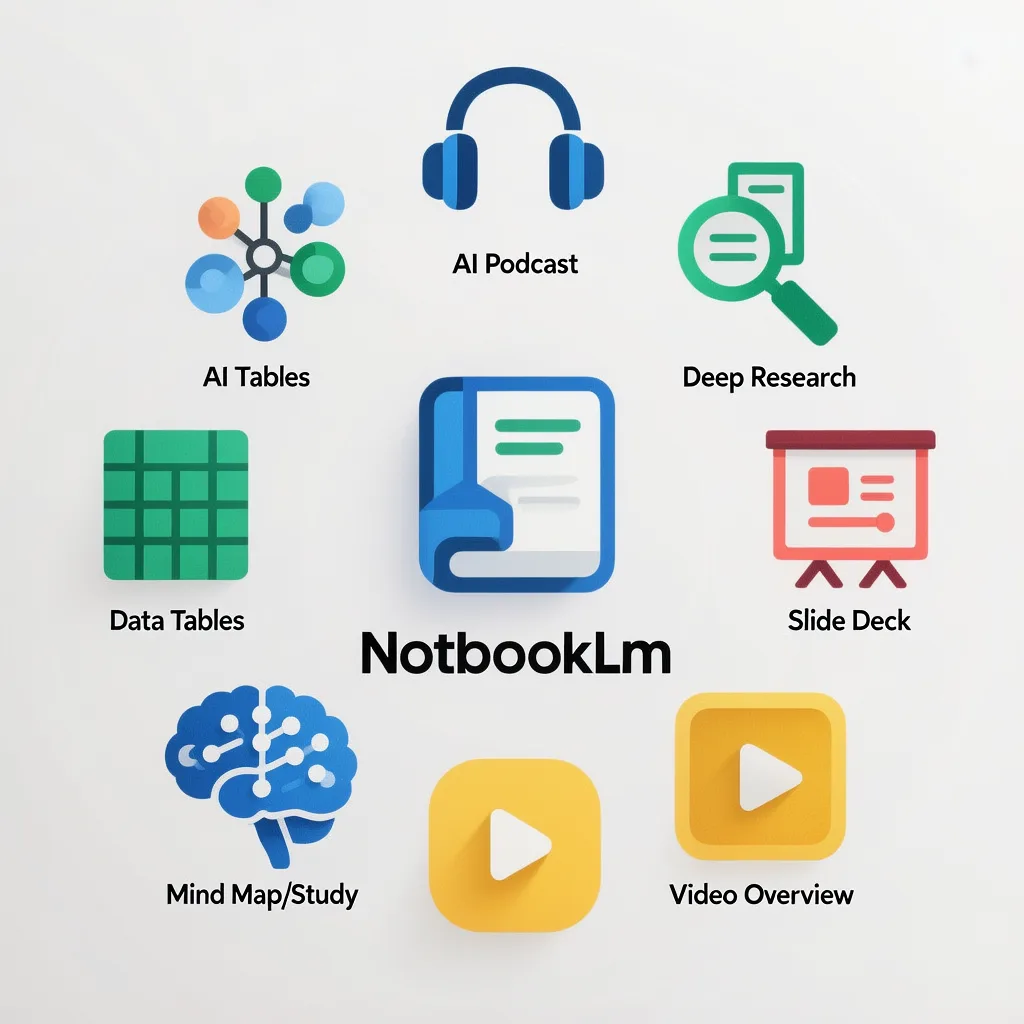
Podcasts, videos, mind maps, flashcards, presentations, infographics, research reports—all within a single free platform. You’re essentially replacing subscriptions to podcast tools, presentation software, study apps, and research assistants with one unified workspace.
Google built NotebookLM separately from Gemini for good reason: it serves a different purpose with a different architecture, optimized specifically for source-based research and content creation.
Use Case #1: Daily AI News Briefing Through Audio Overviews
Staying updated with AI developments can feel overwhelming. Every morning brings new paper releases, product launches, and industry announcements. Reading through everything is impossible, but NotebookLM offers an elegant solution.
How the Audio Overview Feature Works
The Audio Overview feature transforms your uploaded sources into natural-sounding podcast conversations between two AI hosts. Here’s the practical workflow:
Instead of relying on social media posts or random articles, add authoritative sources:
- arXiv for academic papers
- MIT News for research developments
- DeepMind’s official publications
- Industry-specific news outlets
Navigate to the Audio Overview section and select your preferred format. The “Deep Dive” option provides comprehensive coverage of your sources.
This is where NotebookLM truly shines. With support for 80+ languages—including Hindi, Tamil, Marathi, Spanish, Japanese, French, German, and many more—you can consume content in whatever language feels most natural.
Tailor the podcast to your specific interests. For example: “Focus on today’s AI developments and their practical business applications” or “Emphasize technical details about model architectures.”
Practical Benefits
- Listen during commutes, workouts, or household tasks
- Absorb information passively without screen time
- Stay informed without dedicating hours to reading
- Customize content depth and focus areas
Use Case #2: Deep Research with 40+ Verified Sources
When you need to go beyond daily news into genuine academic or professional research, NotebookLM’s Deep Research feature delivers results that surpass what you’d get from ChatGPT or Perplexity.
Understanding Deep Research
This feature, launched in November 2025, doesn’t just search and summarize. It creates a comprehensive research plan, browses hundreds of websites, and compiles findings into a structured report with verified citations.
Step-by-Step Deep Research Process
Click the Deep Research button and enter your topic. For example: “Future trends in AI and AGI development for 2026.”
NotebookLM displays its research strategy in real-time. You’ll see it:
- Creating a structured research plan
- Browsing relevant websites and databases
- Identifying academic papers and industry reports
- Synthesizing findings across multiple sources
The output typically includes:
- Executive overview
- Strategic analysis
- Detailed timelines
- Supporting evidence with citations
- 40+ verified sources
Every citation is clickable. Question something? Click directly to the source document or webpage. This verification capability is essential for academic integrity and professional credibility.
Deep Research Output Quality Comparison
| Aspect | ChatGPT | Perplexity | NotebookLM Deep Research |
|---|---|---|---|
| Source Count | Limited | 5-10 typically | 40+ verified sources |
| Citation Verification | No direct links | Basic links | Clickable, direct verification |
| Report Structure | Conversational | Summary format | Executive report with sections |
| Research Planning | Not visible | Minimal | Full transparency |
| Bias Potential | Higher (internet-wide) | Moderate | Lower (curated sources) |
Use Case #3: Professional Presentations with Nano Banana Pro
Creating presentations typically requires hours of design work or expensive software subscriptions. NotebookLM’s integration with Google’s Nano Banana Pro image generation model changes this completely.
What Makes Nano Banana Pro Special
Nano Banana Pro is Google’s latest image generation technology, and it solves a problem that plagued previous AI image generators: text accuracy. It renders text correctly without the weird artifacts, misspellings, or distorted letters that made AI-generated slides look unprofessional.
Creating Research-to-Presentation Workflows
After completing a Deep Research report, import it directly as a source in your notebook.
In the Studio panel, select the Slide Deck option.
NotebookLM offers various professional styles:
- TED-style presentations (storytelling-first approach)
- Minimalistic corporate decks
- Steve Jobs-inspired formats
- Academic presentation styles
- Creative and artistic approaches
Click generate and receive a complete, keynote-ready presentation. The slides feature:
- Clean, readable text (no AI artifacts)
- Professional visual layouts
- Logical content flow
- Proper heading hierarchy
Time Savings Comparison
| Traditional Method | Time Required | Cost |
|---|---|---|
| Manual research | 4-8 hours | Your time |
| Hiring researcher | 2-3 days | $200-500 |
| Professional designer | 1-2 days | $300-800 |
| Presentation software | Ongoing | $10-30/month |
| NotebookLM workflow | Under 10 minutes | Free |
Use Case #4: Long-Form Content Summarization and Visualization
We’ve all faced this situation: a 2-hour podcast everyone’s discussing, a 3-hour interview with valuable insights, but absolutely no time to watch the entire thing. NotebookLM transforms how you consume long-form content.
Summarizing Video Content
Copy the YouTube URL of any video—whether it’s a 2-hour interview, a lecture, or a documentary—and paste it into NotebookLM’s source panel.
Simply ask: “Give me the key takeaways from this video.” Within 30 seconds, you’ll receive a structured summary covering all major points, themes, and insights.
This is where NotebookLM becomes truly powerful. Request an infographic summarizing the content, and Nano Banana Pro generates a professional visual you can reference anytime.
Infographic Style Options
NotebookLM offers various visual styles for infographics:
- Neomorphic style: Dark, sleek, modern aesthetic
- Ghibli-inspired: Warm, illustrated, artistic feel
- 3D Voxel style: Pixel-art inspired, engaging visuals
- Corporate clean: Professional, business-appropriate
- Academic: Structured, citation-friendly layouts
Practical Example Workflow
Consider a 3-hour business interview between prominent entrepreneurs. Traditional approach: block out 3 hours, take notes, forget half of it anyway. NotebookLM approach:
- Paste the YouTube link (10 seconds)
- Generate summary (30 seconds)
- Create slide deck with detailed breakdown (2 minutes)
- Generate printable infographic (1 minute)
- Total time: Under 4 minutes
You now have reference materials you can review repeatedly, share with colleagues, or use for content creation—all from content you never had to watch in full.
Use Case #5: Emergency Study Systems for Students
This use case is specifically designed for students facing the universal nightmare: exam tomorrow, hundreds of pages of material, zero preparation completed. NotebookLM transforms last-minute cramming into systematic learning.
Building Your Emergency Study System
Dump all your materials into NotebookLM:
- Textbook PDFs
- Lecture slides
- YouTube lecture links
- Class notes
- Previous exam papers
Use a custom instruction prompt to optimize responses for studying. An “Academic Revisionist” style prompt works well:
“Explain concepts using simple analogies. Be straight to the point. Use examples a student would understand. Focus on exam-relevant information.”
One click produces a visual map of your entire subject. All concepts, how they connect, major themes, and sub-topics—visualized instantly. This would take hours to create manually.
NotebookLM can generate 50-100 flashcards from your materials. Each card:
- Covers a key concept
- Flips to reveal the answer
- Includes an “Expand and Explain” option for confusing topics
Generate quiz questions based on your materials. Answer incorrectly? NotebookLM explains why and reinforces the correct information. Answer correctly? Move on efficiently.
The Emergency Study Formula
| Phase | Activity | Time |
|---|---|---|
| Understand | Mind map visualization | 10 minutes |
| Memorize | Flashcard review | 30-60 minutes |
| Test | Quiz and self-assessment | 30 minutes |
| Review | Focus on weak areas | Remaining time |
This systematic approach—understand, memorize, test—replaces chaotic last-minute cramming with structured learning.
Use Case #6: Video Generation from Documents
The Video Overview feature, launched in July 2025, represents perhaps the most impressive capability in NotebookLM. It transforms text documents into fully animated videos with professional voiceover—completely free.
Traditional Video Production vs. NotebookLM
Creating an explainer video traditionally requires:
- Script writing
- Storyboarding
- Animation or video editing
- Professional voiceover recording
- Post-production editing
- Total cost: $500-$5,000+
- Total time: Days to weeks
With NotebookLM Video Overview:
- Upload your document
- Select video style
- Click generate
- Total cost: Free
- Total time: Minutes
Video Overview Options and Styles
Format Options:
- Explainer videos
- Documentary style
- Educational content
- Heritage and historical narratives
- Storytelling presentations
Style Options:
- Anime visuals
- Professional corporate
- Heritage documentary
- News broadcast
- Creative artistic styles
Creating Videos from Scratch
What if you don’t have a script? NotebookLM can help you create one using source materials.
Upload YouTube links from creators whose style you admire. This teaches NotebookLM about pacing, tone, and presentation approaches.
Combine creator styles with factual research for well-informed, engaging content.
Ask for a specific format—for example, a two-column table with visual directions on the left and dialogue on the right. You’ll receive a production-ready script.
Use Video Overview with your preferred style (anime, documentary, etc.) and generate a complete video—sometimes 10-12 minutes long—with chapters, charts, timelines, and professional narration.
Video Output Specifications
| Feature | NotebookLM Video Overview |
|---|---|
| Video length | Up to 12+ minutes |
| Chapters | Auto-generated |
| Visual elements | Charts, timelines, animations |
| Voiceover | Professional AI-generated |
| Styles available | Multiple (anime, documentary, etc.) |
| Export options | Standard video formats |
Bonus Feature: Data Tables for Structured Organization
NotebookLM’s Data Table feature transforms scattered information from multiple sources into clean, organized spreadsheets.
How Data Tables Work
For example, if planning a trip to Japan, add travel blogs, YouTube videos, and articles you trust as sources.
Use a specific prompt: “Create a data table of top attractions mentioned across all sources with columns for attraction name, estimated cost, travel logistics, review highlights, and time required.”
NotebookLM creates a structured table that you can export directly to Google Sheets. Each row shows which source the information came from, ensuring traceability.
Data Table Applications
| Use Case | Table Structure Example |
|---|---|
| Trip planning | Attractions, costs, logistics, reviews |
| Meeting notes | Action items, owners, deadlines, status |
| Research synthesis | Findings, sources, evidence strength |
| Competitive analysis | Features, pricing, pros, cons |
| Literature review | Papers, key findings, methodology, relevance |
Bonus Use Case: Content Repurposing Workflow
For content creators, NotebookLM functions as a complete repurposing agency—transforming long-form content into multiple formats without hallucination.
The Content Repurposing Problem
After creating a YouTube video or podcast, you typically need:
- Twitter/X threads
- LinkedIn posts
- Instagram carousels
- Newsletter content
- Blog summaries
Creating each manually takes hours. Using generic AI tools often produces hallucinated content that doesn’t match what you actually said.
NotebookLM’s Content Repurposing Solution
Paste your YouTube video link as a source.
- “Write a viral Twitter thread from this topic”
- “Write a personalized, humanlike LinkedIn post”
- “Create carousel content with 8-10 slides”
- “Draft a newsletter section summarizing key points”
Because NotebookLM only uses your source video, every piece of content directly reflects what you actually said—in your style, with your insights, using your examples.
Content Repurposing Comparison
| Platform | Manual Time | AI Tool (with hallucination risk) | NotebookLM |
|---|---|---|---|
| Twitter thread | 30-45 min | 5 min (may contain errors) | 2 min (accurate) |
| LinkedIn post | 20-30 min | 5 min (may feel generic) | 2 min (personalized) |
| Newsletter section | 45-60 min | 10 min (fact-checking needed) | 3 min (source-verified) |
NotebookLM Pricing Plans and Feature Access
Understanding what’s available on each plan helps you maximize value from the free tier while knowing when upgrading makes sense.
Free Plan (Best for Most Users)
| Feature | Limit |
|---|---|
| Notebooks | 100 |
| Sources per notebook | 50 |
| Daily chats | 50 |
| Audio overviews | 3 per day |
| Video overviews | 3 per day |
| Flashcards | 10 per day |
| Quizzes | Included |
| Reports | Included |
Plus Plan (For Active Learners)
- 2x more generations across all features
- Early access to new features
- Up to 100 sources per notebook
Pro Plan (For Deep Research)
- 5x more generations
- Early access to new features
- Up to 300 sources per notebook
Ultra Plan (For Power Users)
- 50x more generations
- Highest access to Gemini models
- Priority feature access
- Up to 600 sources per notebook
NotebookLM Mobile App Features
NotebookLM’s mobile experience extends all core functionality to your smartphone with additional mobile-specific features.
Key Mobile Capabilities
Background Playback: Listen to audio overviews while using other apps. Perfect for multitasking during commutes, workouts, or household tasks.
Offline Downloads: Download audio overviews and content for offline access. No internet required once downloaded.
Mobile Flashcards and Quizzes: Study on public transit, during breaks, or wherever you have a few spare minutes.
Camera Integration: Snap a photo of any document, whiteboard, or page. It instantly becomes a source in your notebook.
Share Sheet Integration: See an interesting article? Use your phone’s share sheet to send it directly to NotebookLM.
Rolling Out: Mobile Infographics and Slides: Infographic and slide deck generation is currently expanding to mobile platforms.
Integration with Google Gemini
A recent update allows direct notebook uploads from NotebookLM into Gemini, creating powerful synergies within Google’s AI ecosystem.
What This Integration Enables
- Combine multiple NotebookLM notebooks within Gemini
- Build upon existing research with Gemini’s broader capabilities
- Create workflows that leverage both source-specific and general AI
- Stay within Google’s connected suite of tools
This represents Google’s broader strategy: keep users within an integrated ecosystem where tools communicate seamlessly with each other.
Frequently Asked Questions (FAQ)
Is NotebookLM really completely free?
Yes, NotebookLM offers a robust free tier that includes all core features: audio overviews, video overviews, deep research, presentations, flashcards, quizzes, and infographics. While paid plans offer increased usage limits and early feature access, the free plan is sufficient for most individual users.
How does NotebookLM prevent AI hallucination?
NotebookLM only draws information from sources you upload. Unlike general AI tools that access internet-wide data, NotebookLM restricts its knowledge base entirely to your documents, videos, and websites. Every claim includes a clickable citation linking directly to the source material, allowing instant verification.
What types of sources can I upload to NotebookLM?
NotebookLM accepts PDFs, Google Docs, Google Slides, YouTube video links, website URLs, copied text, and audio files. You can also use your phone’s camera to capture physical documents instantly. Each notebook supports up to 50 sources on the free plan.
Can I use NotebookLM for academic research and citations?
Absolutely. NotebookLM’s citation system makes it excellent for academic work. Every response links directly to source materials, and the Deep Research feature compiles 40+ verified sources into structured reports. However, always verify citations meet your institution’s specific requirements.
How does the audio overview feature work with multiple languages?
The Audio Overview feature supports 80+ languages. After uploading your sources, select your preferred language and any custom instructions. NotebookLM generates a natural-sounding conversation between two AI hosts in your chosen language, covering the key content from your sources.
What makes Video Overview different from other AI video tools?
Video Overview creates complete animated videos from text documents without requiring any video production knowledge. Unlike tools that require you to build scenes or provide images, NotebookLM generates everything—visuals, narration, chapters, and transitions—from your document content alone, completely free.
Can teams or organizations use NotebookLM collaboratively?
NotebookLM currently focuses on individual use, though you can share notebooks and export content for team collaboration. Enterprise and team features may expand as the platform develops. For now, individual users can create content and share outputs through standard methods.
How accurate are the flashcards and quiz questions generated?
Flashcards and quizzes are generated exclusively from your uploaded materials, ensuring accuracy to your source content. If you upload comprehensive textbooks or lecture materials, the generated study tools will reflect that content precisely—no external information mixed in.
Does NotebookLM work offline?
The mobile app supports offline access for downloaded audio overviews and some cached content. However, generating new content (podcasts, videos, research, etc.) requires an internet connection to process through Google’s servers.
How does NotebookLM compare to Perplexity for research?
Perplexity searches the internet and provides summaries with basic citations. NotebookLM’s Deep Research feature goes further: it creates research plans, browses hundreds of sources, compiles 40+ verified citations, and produces structured executive reports. Additionally, NotebookLM can then transform that research into presentations, videos, and podcasts—capabilities Perplexity doesn’t offer.
Conclusion
NotebookLM has evolved into something far more powerful than a simple note-taking tool. It’s now a complete AI workspace capable of replacing multiple paid subscriptions you might be using for podcasts, research, presentations, video creation, and study systems.
The key capabilities covered here—daily AI briefings through audio overviews, deep research with verified sources, professional presentations with Nano Banana Pro, long-form content summarization, emergency study systems, and document-to-video generation—represent just the starting point.
The tool is free, the features are comprehensive, and the learning curve is minimal. Whether you’re a student facing exams, a professional building presentations, a researcher diving into complex topics, or a creator repurposing content, NotebookLM offers practical workflows that save hours every week.
Open NotebookLM, upload some sources you’re currently working with, and experiment with the features that match your needs. The best way to understand its potential is to build your own workflows and discover what’s possible for your specific use cases.