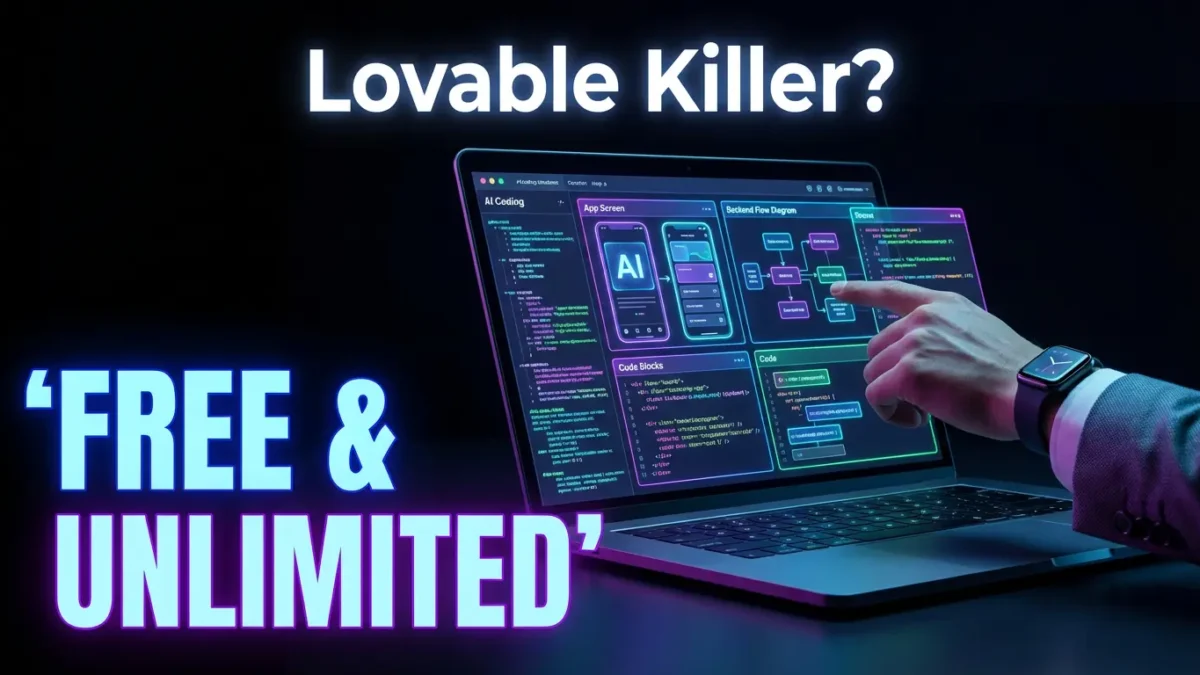
Free AI App Builder with Unlimited Credits: The Best Lovable Alternative in 2025

Introduction
Free AI app builder tools are revolutionizing how developers and non-coders create fully functional applications without spending a dime. If you’ve been searching for a powerful alternative to Lovable that offers unlimited build credits, backend integration, and advanced error-fixing capabilities, this guide is exactly what you need.
This comprehensive blog is designed for aspiring developers, entrepreneurs, indie hackers, and anyone who wants to build professional applications without technical expertise or expensive subscriptions. The demand for no-code and AI-powered development platforms has skyrocketed in 2025, making it essential to understand which tools deliver genuine value.
By the end of this article, you’ll discover a game-changing AI app builder that provides unlimited free access, learn how its features compare to premium alternatives, and understand exactly how to leverage it for your projects.
What is a Free AI App Builder?
A free AI app builder is an artificial intelligence-powered platform that allows users to create complete web and mobile applications using simple text prompts. Unlike traditional development methods that require months of coding, these tools generate functional applications within minutes.
Why AI App Builders Are Transforming Development
The landscape of software development has fundamentally shifted. Here’s why AI app builders have become essential:
- Zero coding knowledge required: Simply describe what you want, and the AI generates the code
- Rapid prototyping: Build MVPs in hours instead of weeks
- Cost-effective: Eliminate expensive developer fees for initial builds
- Iteration-friendly: Make changes through natural language instructions
- Full-stack capabilities: Generate both frontend and backend components
The Problem with Most AI App Builders
While numerous AI development tools exist in the market, most come with significant limitations:
| Common Limitation | Impact on Users |
|---|---|
| Limited free credits | Forces upgrade after few builds |
| No backend integration | Creates incomplete applications |
| Manual error fixing | Requires technical knowledge |
| Restricted features | Premium features locked behind paywall |
| Usage caps | Stops workflow mid-project |
This is precisely where the tool we’re discussing stands apart from competitors.
Introducing The Open Builder: The Ultimate Free AI App Builder
This revolutionary AI app builder offers everything you’d expect from premium platforms like Lovable, but with one crucial difference: unlimited free build credits. The platform clearly states on their website “unlimited build credits for free,” making it accessible to everyone regardless of budget.
No restrictions on how many projects you can create. Build as many applications as you want without hitting credit walls.
Summary
This AI-powered development platform enables users to create complete applications through simple prompts. It includes advanced features typically reserved for paid tiers, including backend integration, automatic error resolution through Complete Mode, and unlimited project generation capabilities.
Key Features
- Unlimited Build Credits: No restrictions on how many projects you can create
- Backend Integration: Full server-side functionality included
- Complete Mode: Automatic error detection and resolution
- Prompt-Based Generation: Natural language application creation
- Professional Outputs: Production-ready code and designs
- Free Tier Access: Core features available without payment
How It Works
Navigate to the tool’s website and create your free account. No credit card required for basic access.
Describe the application you want to build using natural language. Be specific about features, design preferences, and functionality requirements.
The AI processes your prompt and generates a complete application with both frontend and backend components.
Examine the generated output and request modifications through additional prompts.
Once satisfied, deploy your application directly or export the code for further customization.
Use Cases and Benefits
This free AI app builder excels in numerous scenarios:
For Entrepreneurs:
- Validate business ideas without upfront development costs
- Create MVPs to attract investors
- Test market response before committing resources
For Students and Learners:
- Build portfolio projects without budget constraints
- Learn application architecture through generated code
- Practice prompt engineering skills
For Small Businesses:
- Develop internal tools without hiring developers
- Create customer-facing applications affordably
- Iterate quickly based on user feedback
For Freelancers:
- Prototype client projects rapidly
- Reduce development time significantly
- Offer competitive pricing with lower overhead
Pros and Cons
| Pros | Cons |
|---|---|
| Unlimited free build credits | Slower generation on free tier |
| Backend integration included | Premium tier needed for faster builds |
| Complete Mode fixes errors automatically | Learning curve for optimal prompting |
| No coding knowledge required | Complex projects may need refinement |
| Professional-quality outputs | Internet connection required |
| Regular feature updates | Limited customization in free tier |

Complete Mode: Revolutionary Error Resolution
One of the standout features of this free AI app builder is Complete Mode, an intelligent system that automatically detects and resolves errors in your generated applications.
How Complete Mode Works
Traditional AI builders generate code that often contains bugs or errors, requiring users to manually debug—a significant barrier for non-technical users. Complete Mode eliminates this frustration entirely.
The Process:
- Error Detection: The system continuously monitors generated code for issues
- Automatic Loop Entry: When an error is detected, Complete Mode activates
- Intelligent Resolution: The AI analyzes the error context and generates fixes
- Verification: The system confirms the fix resolves the issue
- Loop Continuation: If additional errors exist, the process repeats until all are resolved
Why Complete Mode Matters
| Traditional AI Builders | This Tool with Complete Mode |
|---|---|
| Errors require manual fixing | Errors fixed automatically |
| Technical knowledge needed | No coding expertise required |
| Development stops at errors | Continuous progress guaranteed |
| Frustrating user experience | Seamless building process |
| Incomplete projects common | Finished applications delivered |
Backend Integration: Building Complete Applications
Unlike many free AI app builders that only generate frontend interfaces, this platform includes robust backend integration capabilities.
What Backend Integration Includes
- Database Connectivity: Connect to various database systems
- API Generation: Create custom APIs for your applications
- Authentication Systems: User login and security features
- Server-Side Logic: Business logic implementation
- Data Processing: Handle complex data operations
Benefits of Included Backend Integration
For Complete Applications:
Building applications without backend functionality creates beautiful but non-functional prototypes. With backend integration, you get:
- Fully operational user authentication
- Real data storage and retrieval
- Dynamic content generation
- Third-party service connections
- Scalable architecture foundations
Free AI App Builder vs. Lovable: Detailed Comparison
Understanding how this free AI app builder compares to Lovable helps clarify its value proposition.
Feature-by-Feature Comparison
| Feature | This Free AI Builder | Lovable |
|---|---|---|
| Free Tier Availability | Unlimited builds | Limited credits |
| Backend Integration | Included free | Available |
| Error Auto-Resolution | Complete Mode | Manual/Partial |
| Prompt-Based Building | Yes | Yes |
| Production-Ready Output | Yes | Yes |
| Speed (Free Tier) | Standard | N/A after credits |
| Speed (Paid Tier) | Fast | Fast |
| Learning Curve | Low | Low |
| Community Support | Growing | Established |
When to Choose Each Platform
Choose This Free AI App Builder When:
- Budget is a primary concern
- You need unlimited project iterations
- Automatic error fixing is valuable
- Backend functionality is required without premium upgrade
Choose Lovable When:
- Speed is critical for your workflow
- You prefer established platform stability
- Premium features align with specific needs
- Existing familiarity with the platform
How to Maximize Your Results with This Free AI App Builder
Getting the best outputs from any AI development platform requires understanding prompt engineering and platform capabilities.
Prompt Writing Best Practices
Be Specific About Requirements:
Instead of: “Build me an app”
Write: “Build a task management application with user authentication, project categories, deadline tracking, and a dashboard showing task completion statistics”
Include Design Preferences:
Specify color schemes, layout preferences, and UI style (modern, minimal, corporate, etc.)
Define User Flows:
Explain how users should navigate through your application
Mention Technical Requirements:
Include database preferences, integration needs, and deployment considerations
Iteration Strategies
- Start with core functionality and add features incrementally
- Review each generation before requesting changes
- Use specific language when requesting modifications
- Save successful prompts for future reference
- Test generated applications thoroughly before deployment
Real-World Applications: What You Can Build
This free AI app builder supports diverse application types across industries.
Application Categories
Business Applications:
- Customer relationship management (CRM) systems
- Invoice and billing platforms
- Project management tools
- Employee scheduling applications
- Inventory management systems
Consumer Applications:
- Social networking platforms
- E-commerce stores
- Content management systems
- Booking and reservation apps
- Educational platforms
Utility Applications:
- Data visualization dashboards
- Calculation and conversion tools
- Form builders and survey creators
- File management systems
- Communication platforms
Frequently Asked Questions (FAQ)
Is this free AI app builder really unlimited?
Yes, the platform explicitly offers unlimited build credits for free users. While there may be speed limitations compared to paid tiers, you can create as many applications as needed without hitting credit walls or usage caps.
Do I need coding experience to use this tool?
Absolutely not. The entire platform is designed for prompt-based interaction. You describe what you want in natural language, and the AI generates complete, functional code. However, having basic development knowledge can help you write better prompts and understand the generated output.
How does Complete Mode handle complex errors?
Complete Mode operates through an intelligent loop system. When errors are detected, the AI analyzes the context, generates appropriate fixes, and verifies resolution. For complex errors involving multiple interconnected issues, the system continues looping until all problems are resolved, ensuring you receive functional code.
Can I export the generated code?
Yes, you can export your generated application code for further customization or deployment on your own hosting infrastructure. This gives you complete ownership and control over your projects.
What makes this better than other free AI app builders?
The combination of unlimited free credits, included backend integration, and automatic error resolution through Complete Mode creates a unique value proposition. Most competitors limit free tier access significantly or exclude backend functionality.
Is the generated code production-ready?
The platform generates professional-quality code suitable for production deployment. However, for mission-critical applications or those handling sensitive data, additional security reviews and testing are recommended before launch.
How does the paid tier differ from free?
The primary difference is generation speed. Free tier builds take longer to process, while paid subscriptions offer faster generation times. Core features and unlimited build credits remain available for free users.
Can I build mobile applications?
Yes, the platform supports both web and mobile application development. You can specify your target platform in your prompts to receive appropriately optimized code.
What happens to my projects if I don’t upgrade?
Your projects remain accessible regardless of subscription status. Free users maintain full access to their generated applications and can continue creating new ones without time limits.
Is there customer support for free users?
Free users typically have access to community support, documentation, and knowledge bases. Premium support channels may be reserved for paid subscribers depending on the platform’s current policies.
Conclusion
The emergence of truly free AI app builders with unlimited credits represents a significant shift in accessible software development. This platform’s combination of unrestricted builds, backend integration, and Complete Mode’s automatic error resolution addresses the primary pain points developers and creators face with competing tools.
Whether you’re an entrepreneur validating ideas, a student building portfolio projects, or a small business owner needing custom solutions, this free AI app builder provides the capabilities typically reserved for expensive premium subscriptions.
Start exploring what you can create today—with unlimited attempts and no credit restrictions, there’s nothing stopping you from building your next great application.